
Like I mentioned ive finish the retopology process and I want to work on it more (on it's own) The source is not needed anymore. Im on Blender v5, Thank you.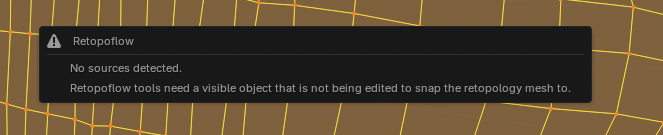

Hi Radek CCanisLatrans ,
Did you try TAB, or ESCAPE?
Those were used to Quit Retopoflow 3
Otherwise maybe F! for Help.
Hi Martin.
Yes I did. By tab Im going back to Object mode but later when i want to work more in edit mode then this error dialog pops in looking for the source again. It's not detached from RetopoFlow- would be good to have clear exit option. Cheers
Hi Radek CCanisLatrans ,
Here's what you can do (not sure if that is the 'official' way);
While in Retopoflow, switch your Tool to a 'normal' one, for instance:
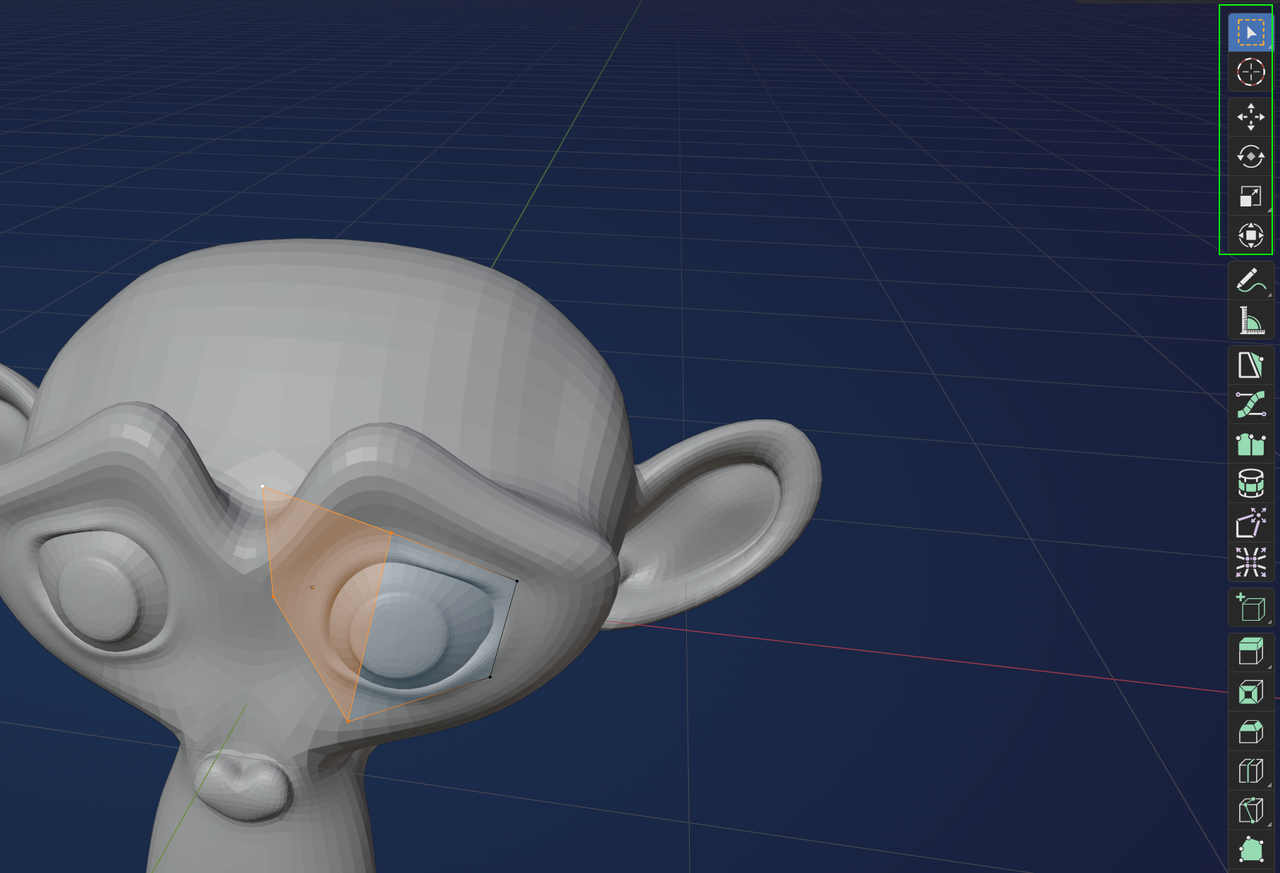
Then switch to Object Mode, Hide, or Delete the Source Mesh and switch back to Edit Mode.

Hi Radek, Martin got it! Exiting Retopoflow is just switching to any non-Retopoflow tool. You can see this in action in the second video, though I see that it could have been made more clear. https://cgcookie.mavenseed.com/lessons/starting-retopoflow-873a7f2fc2ba0354
Thank you both, Martin and Jonathan. Not sure how I could have missed this info along the way :) Cheers!
