Can you be more specific on a couple things

How specifically did you isolate the eyes? Can you go step by step? I have taken the fundamental classes but didn't see this and it happens very quickly in the video, i just see you flash into edit mode but that is it. Then what do you choose in menu after the P shortcut? Material, loose parts? Thanks Jim
1 love
Reply
  • Omar Domenech replied

    Hello Henry. Can you give us a timestamp? To know exactly which part you are referring to. By the way you describe thing, I might guess he is either using L to select the linked mesh or just going into local view with numpad slash ( / )

    1 love
  • Martin Bergwerf replied

    Hi Jim DDugansz ,

    You can watch the video more than once 😉

    You can also watch it at a lower speed.

    But it's Separate  > Selection:
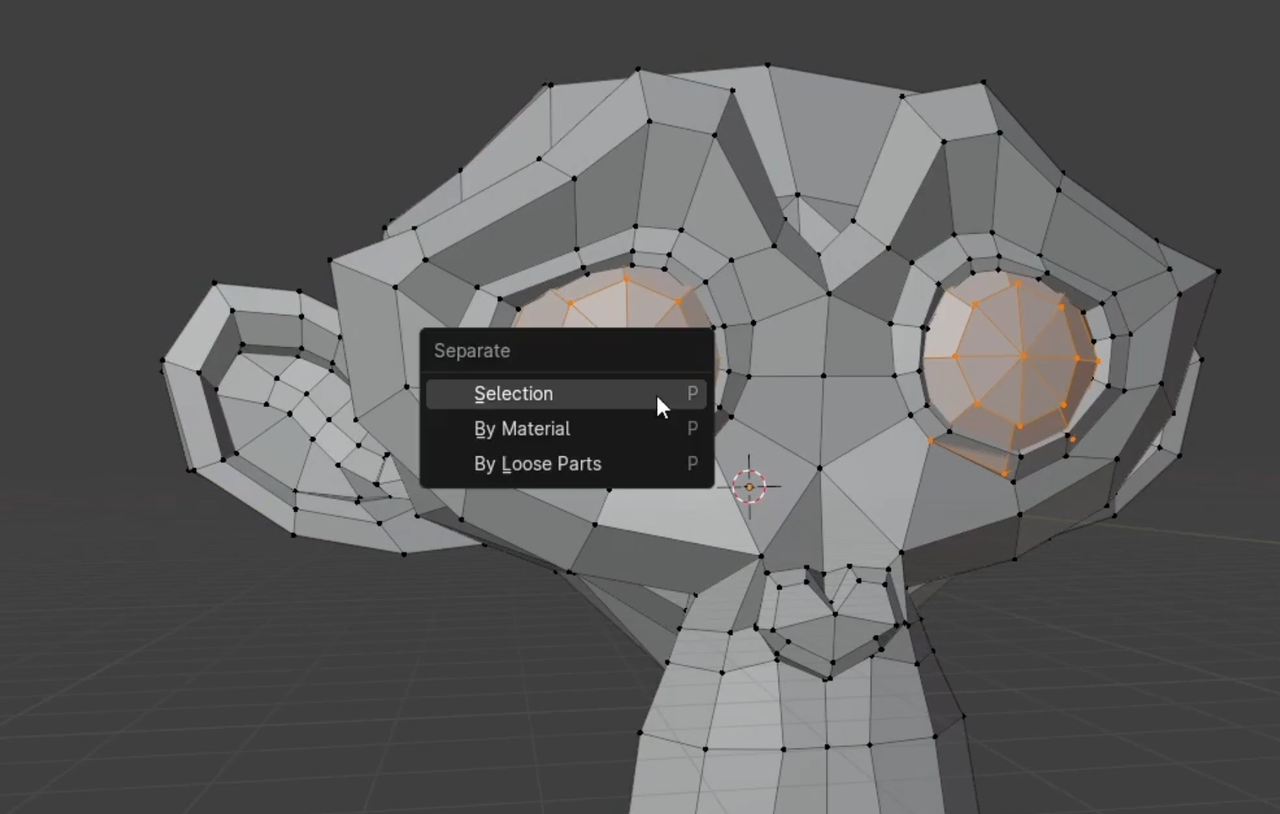
    P.png

    Separate > By Loose Parts would work as well.

    And you might want to re-take the Fundamentals of Mesh Modeling in Blender (not just watch it, but do all the exercises as well).

    1 love
  • HENRY DUGAN(Dugansz) replied

    At the 4 minute mark it  begins... thx Jim

    1 love
  • Omar Domenech replied

    Yes he selected the eyes, which are separate meshes, by hovering the mouse over them and hitting L to selected linked. Then P to separated by selection. 

    1 love
  • HENRY DUGAN(Dugansz) replied

    thank  you very much

    • 👍
    1 love