Greetings,
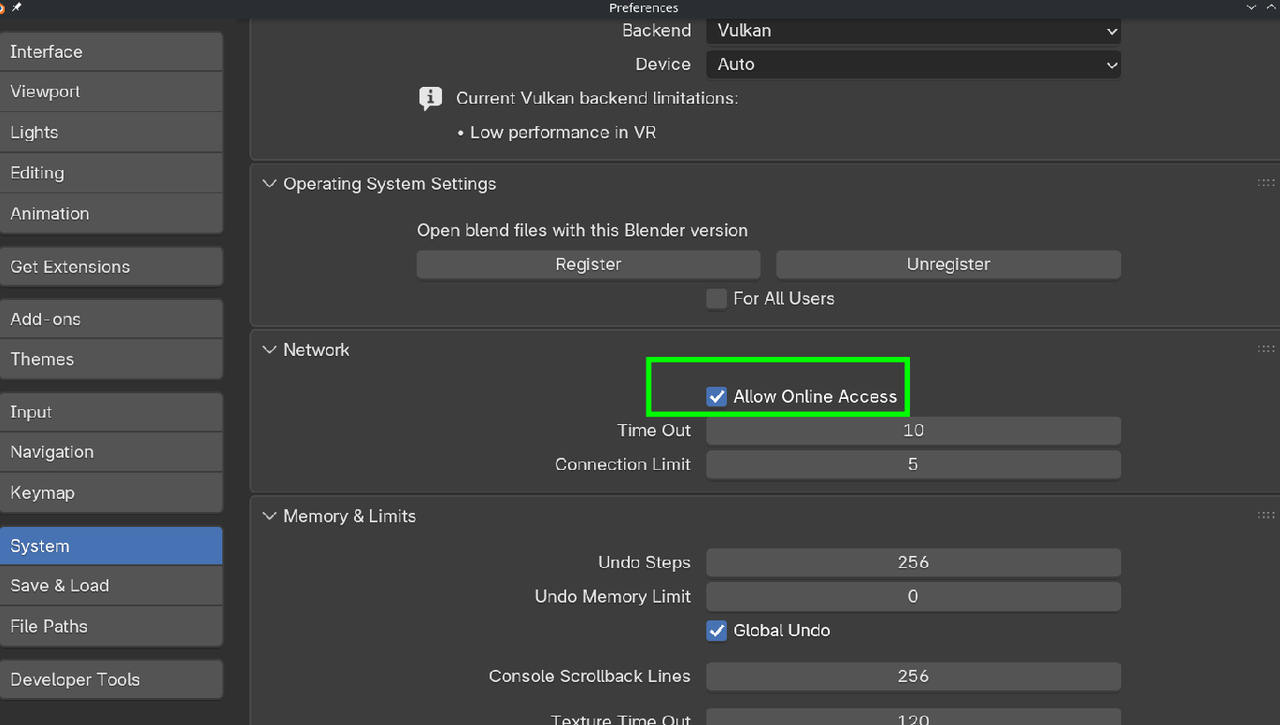
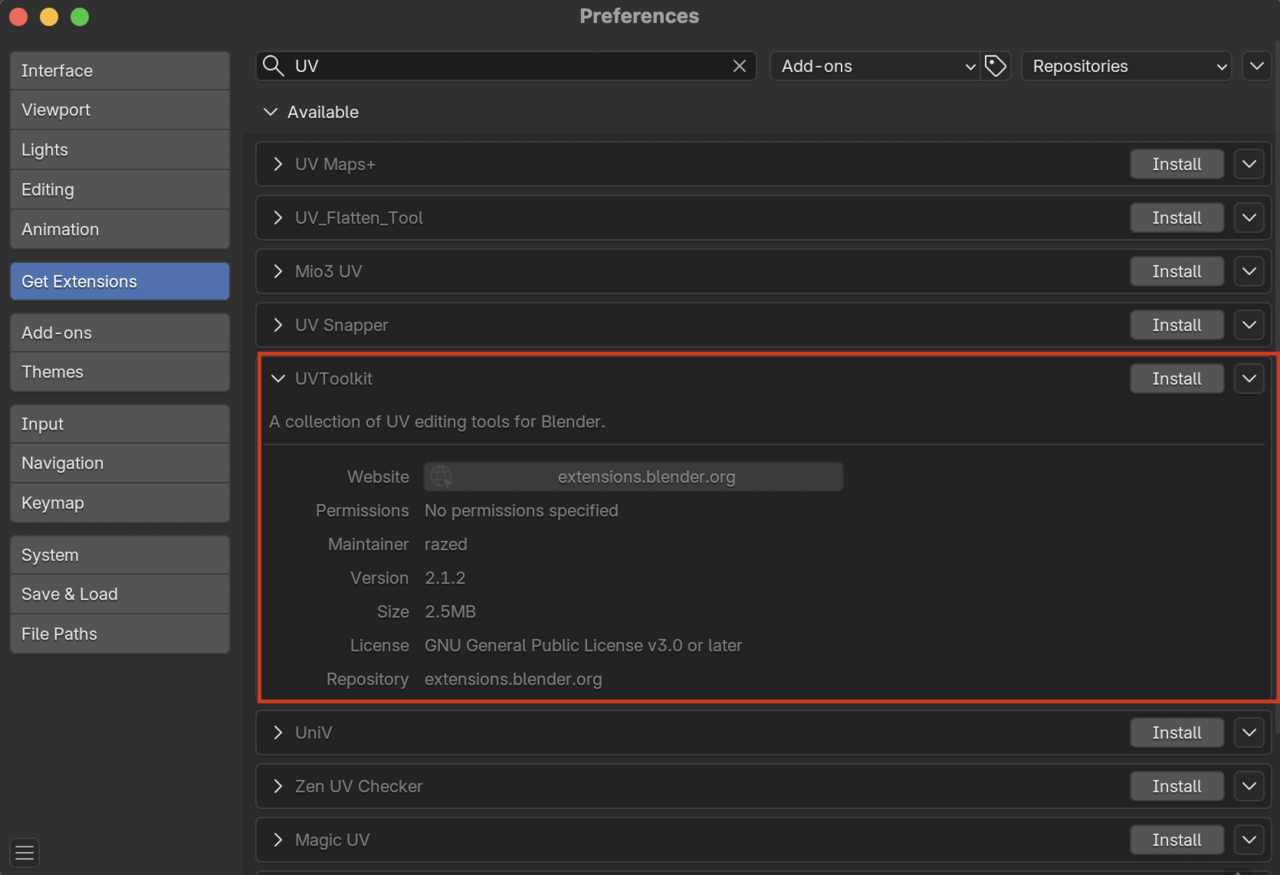
I'm using Blender 5.0. All three of the add-ons are not showing when I type them in. Your help is much appreciated.
Torrey

Hi Torrey ttorreyjproctor ,
It is recommended to use the Blender Version from the Course, especially for beginners like you.
But you can go to your Preferences and if you don't find something in your Addons, above that is the Get Extensions Tab:
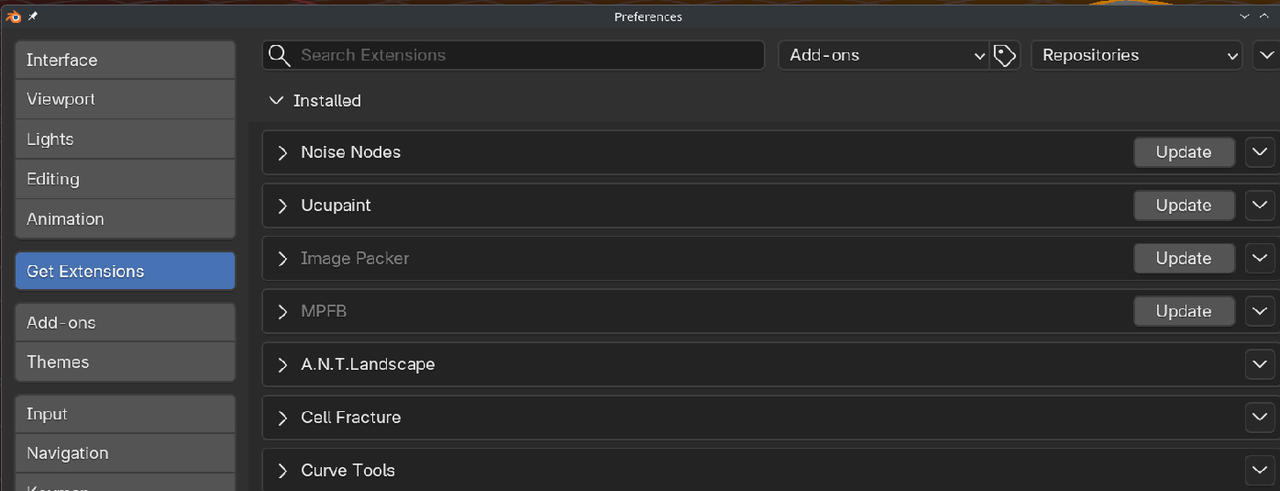
I wasn't able to find UVTool Kit. Going to "Get Extensions" worked for the Loop and Bool add-on.

Sometimes, when searching for an add on, it can be easier to search for just part of the name so that if it's in the search under something different than what you thought you can still find it :D

Hi there,
I ran into the same issue as ttorreyjproctor and tried to find the version of Blender used in the course but could not find it. Where can this information be found? I might have missed it but I also did not hear it being mentioned in the first video.
Anyway I managed to get all addons and am enjoying the course very much :) !
Hi Rafael rpqy ,
You can find it at the bottom right of the UI:
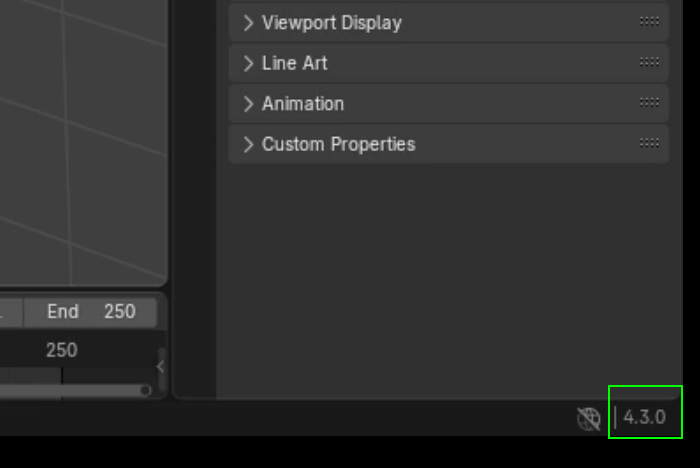
In older Versions of Blender it might be at the top middle of the UI:
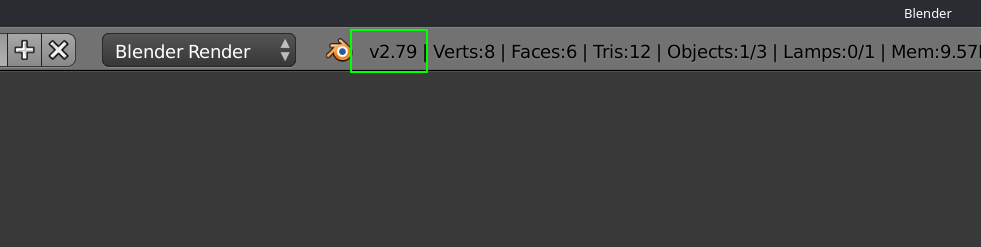
It will often be mentioned in the beginning of the Course, but it's easier this way, then searching in the video to try and find if and where it was mentioned.

You can download it from here, where it says download any version: