
I put the same figures that you used. But my one doesn't look the same way.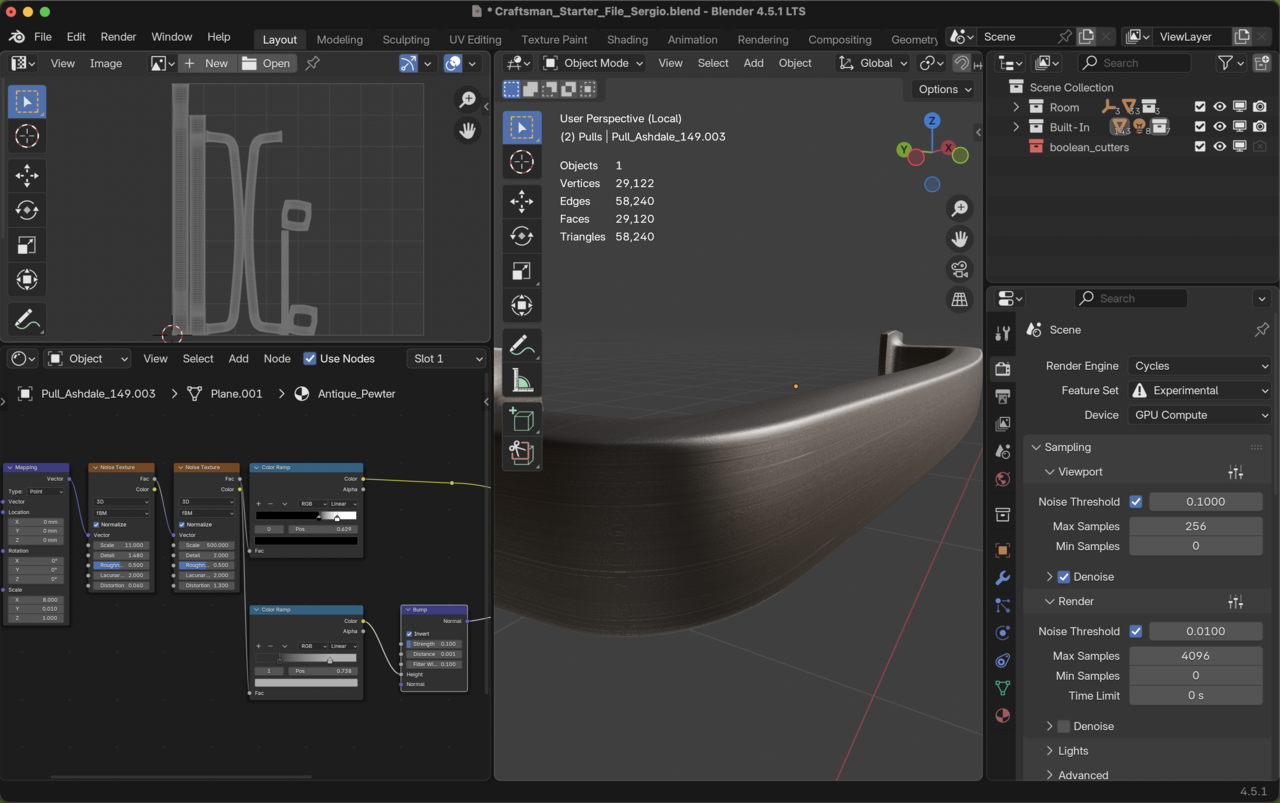

Yes, Martin, you are right. It does makes a different when I turned it off. But maybe it is the viewport renderer. I think it doesn't look as brushed as his one.

Hi Sergio SSergio4624,
That is a great looking model and texture, very well done.
In regards to your concerns about a different look:
Omar and Martin already made some good points.
I just looked at the course file for this lesson and there are very subtle differences between your values and the course values in the noise textures and colour ramps, but only in some decimal values. When it comes to noise textures those can have an bigger impact on the look than you'd expect though, even with the slightest difference.
However (!!!): I would not worry about it too much. Your material definitely looks like Antique Pewter and would totally pass a test. And you'll likely never see them from this close anyway, unless you make a detail shot. And for that they look great.
Consider it this way: When I buy three of those pulls, they all look a little different from each other too. That's completely normal. If that had been a very dominant feature, like the grain on the wood texture, I would have introduced a randomizer to this material too. In this case that brushing detail is so small though, that you'll never notice it.
Long walk on a short pier: Job well done, material looks the way it should. You're good to move on to the next lesson. 😀

Also, but this is of less consequence, Sascha uses the Factor Ouput of the second Noise Texture for both Color Ramps:
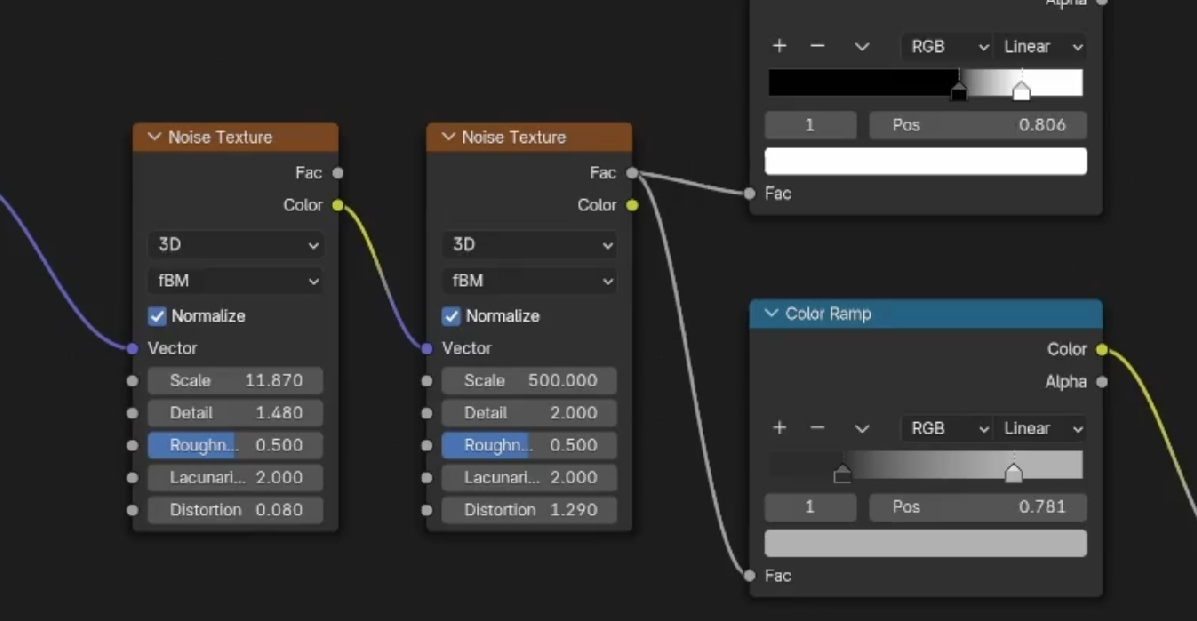
So, (and you don't need to know this) the difference here is, that the Factor of the Noise Texture is just the Red Channel of that Noise Texture.
When you connect the Color Output to a Color Ramp, Blender converts the Color to a scalar Value by taking the Luminance (0.2126 R + 0.7152 G + 0.0722 B) of that Color.

Factor is a black and white result while the Color isn't... that's why Martin points that out.
