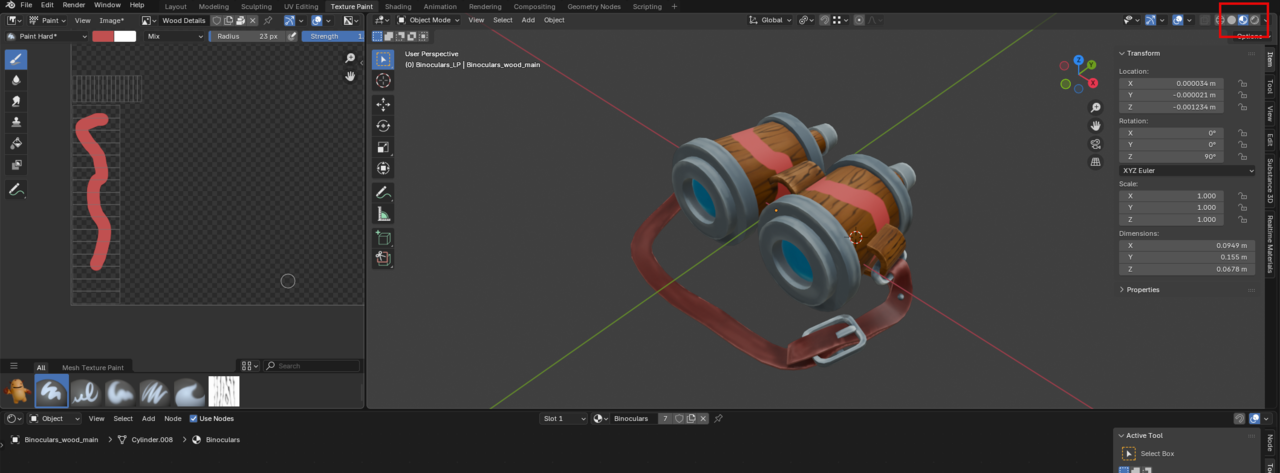
So I'm now realising that I have painted on to the main base colour texture when I thought I was painting into the Wood Details texture.
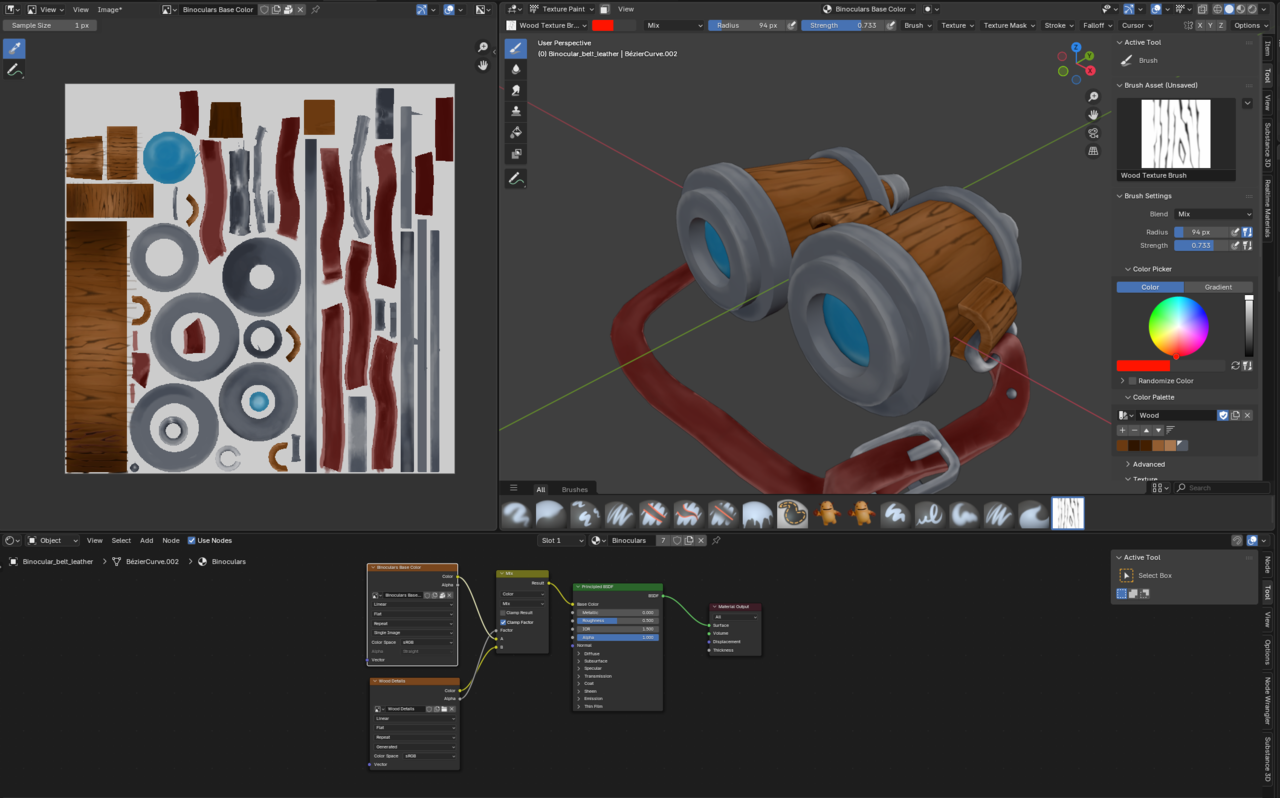
The behaviour I am confused by is that when I select the Wood Details texture in the image editor and add a stencil texture... I see the results in the Wood Texture in the Image Editor but it doesn't show on the model.
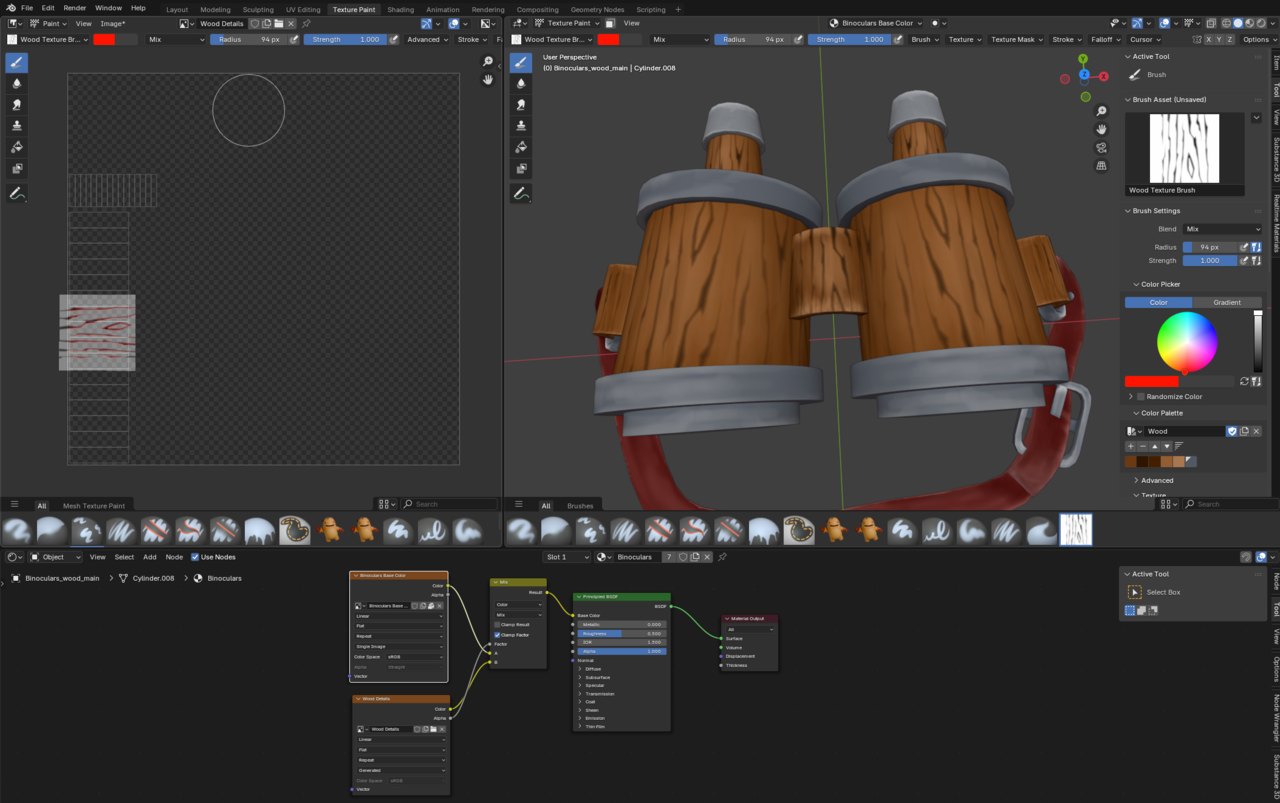
In the Shading Editor if I select the Wood Texture texture node then the model disappears even though I've not changed any of the input / output connections and I see the Wood Details texture which look like they've conformed to the shape of the model.
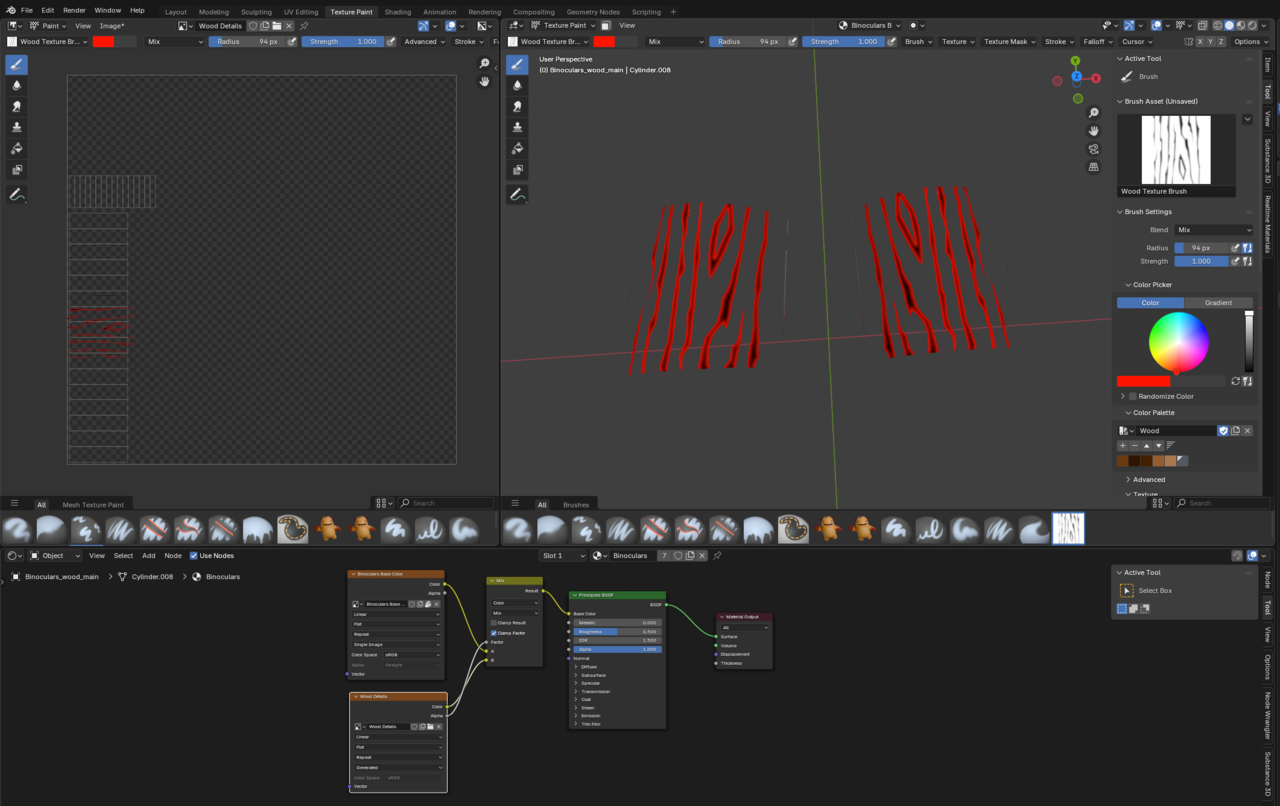
How do I paint onto the different textures and layer them together via the Shading Editor? What am I getting wrong here?
So looks like the problem is because I am in Solid mode and even though I've set it to Texture it seems I HAVE to use material preview to see the results of a layered set-up.