
All the videos from CGCookie are missing or blocked except videos hosted on YouTube. The other parts of the site are OK. I would guess the low bandwidth items are kept on your main site and all the high band video and tutorial resources are handled by a remote file service that distributes the load but that would only be a guess. This started several days ago.
Please see the image below for how it looks to me. I can't see CGCookie logs or http messages to diagnose the problem. My subscription is paid all the way to June 30, 2026, and will renew on July 1, 2026. Even had I no subscription at all it would be the case the videos would load but I would not be able to play them so there is something wrong remotely.
I've checked multiple tutorials and all tutorial videos not hosted by YouTube are missing. Judging from lack of posts from other CGCookie users, even after I have had 2 or 3 days with this problem, this is something specific to my account. Or maybe a group of users, but not all users.
VPN on or off and the country location of the VPN server, it makes no difference.
Thanks for your help.
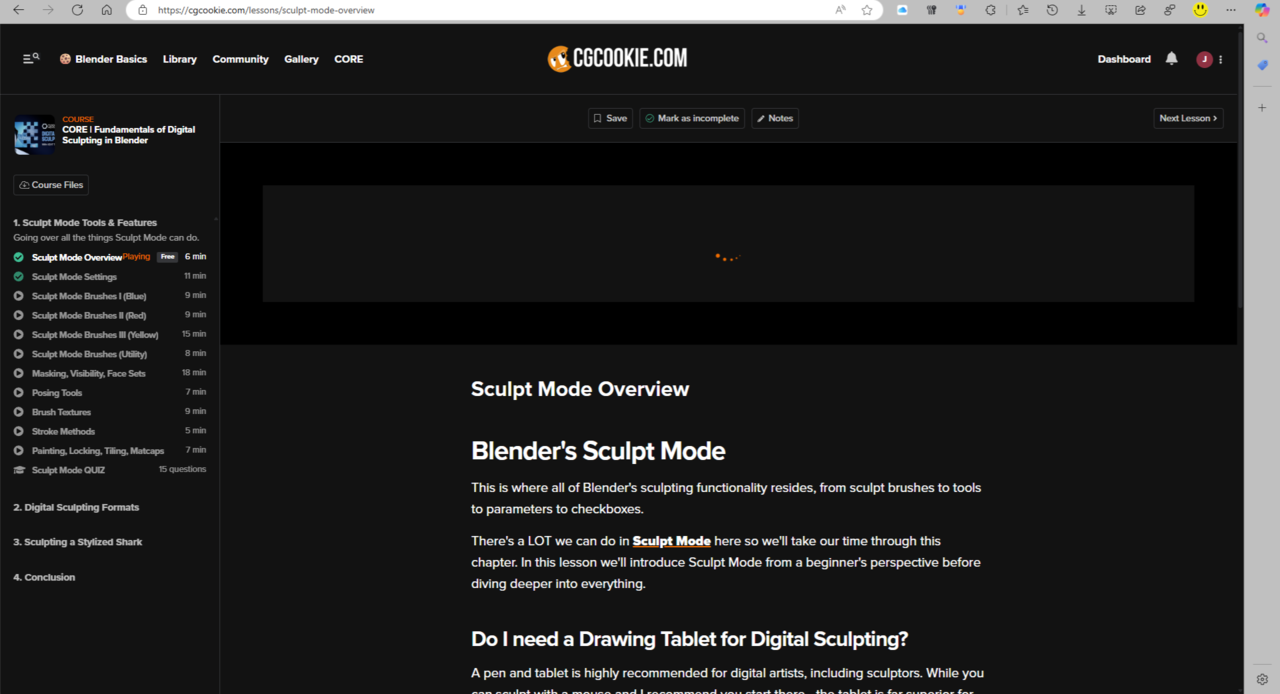

Yeah as you say, no one else has been having such issue, so it is definitely at your end. Usually the two simple things that work like a charm are just using a couple different browsers to see if it's a browser thing, and to clear cache in your browsers. Also if you have the chance of logging in to your account on a different computer and see if it all works there, that can also give you indications of where the issue is.
I added exceptions for tracking for cgcookie.com and cloudflare.com. You can do so multiple ways but padlock on the left of the address bar has "Tracking Prevention" dropdown menu choices "Block (default)" or "Off". My guess would be the default used to be "Off (default)" (but I don't know because it just worked before, and I didn't check it).
It must have been caused by a recent security update of Edge or Windows 11 by Microsoft that was done a few days ago.
By the way, don't forget about the Edge Developer Pane/(Console and Network). It is what showed me cloudfare.com was having trouble.