
While going through the Press Start tutorial, I applied the CG Cookie intro video to my screen, but it was displayed incorrectly in terms of orientation and video rotation. How do you think I could fix this?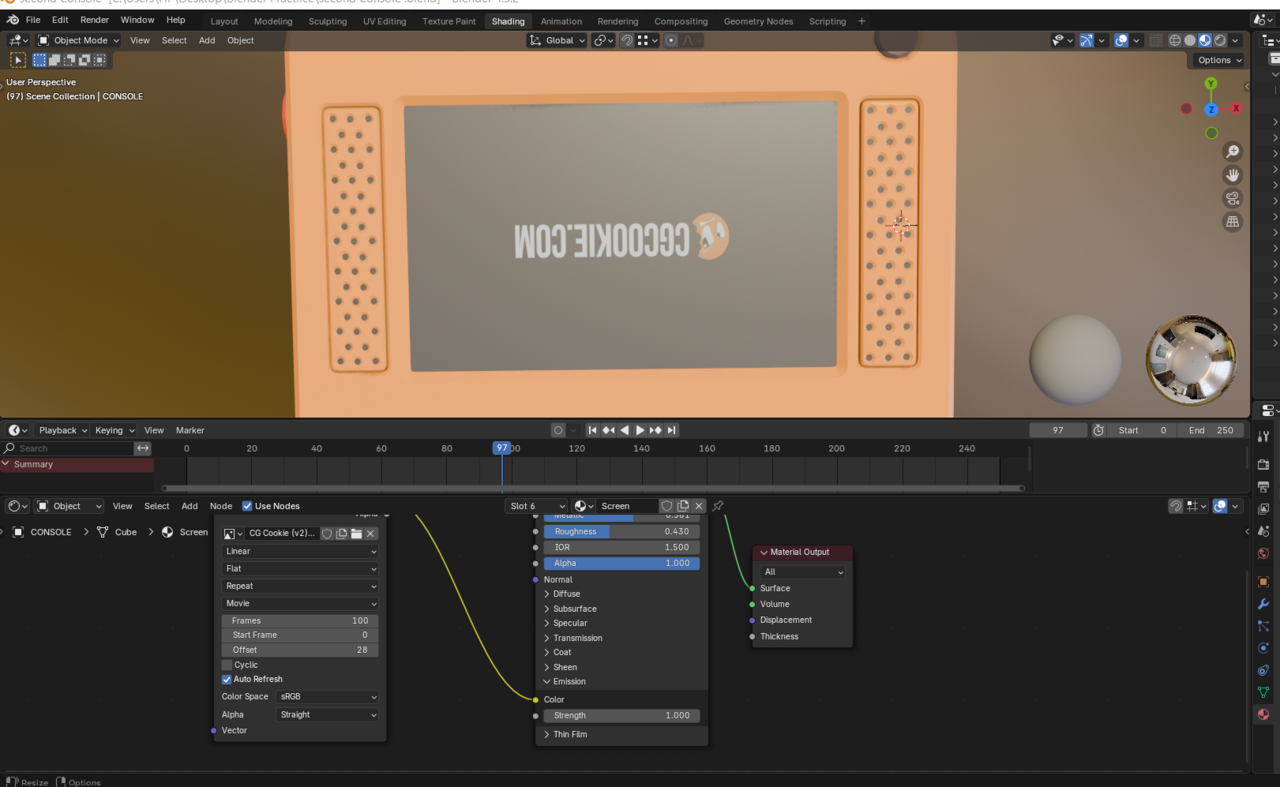

Personally I would go to the UV Editing workspace. With Mouse cursor over 3D Viewport, press tab to enter edit mode and select that face. Then adjust the UV of that face. I'm not sure if you need to flip it or just rotate 180 degrees. With the mouse cursor over the UV Editor, I think just selecting all by pressing A, then press R, type 180, and press {Enter} or Left click should fix it. You may need to flip on X and/or Y. To do that just right click and select Mirror X or Mirror Y.
Side Note: You will do some UV editing Later in the video.

