When I hold the Alt down while dragging the cylinder in, specifically for the second input to add its height, the transparent box showing its transformation shows what should happen, but I can't "click to commit" as it does nothing unless I let go of Alt, removing the change and creating the cylinder but not expanded from its origin point.
Sorry if I worded that poorly. I'm just getting started, and wanted to see if it was something I was doing on my end
Thanks Again!

HI Samuel SSAMtheSLAM ,
Please add a timestamp next time you are asking a question that refers to something in a video.
But when I understand you correctly, you can't click to confirm, when holding ALT.
That is weird; it works, when I try it.
You might be doing something wrong, but I don't know what. Are you using the default Blender, or have you changed something in the Preferences?
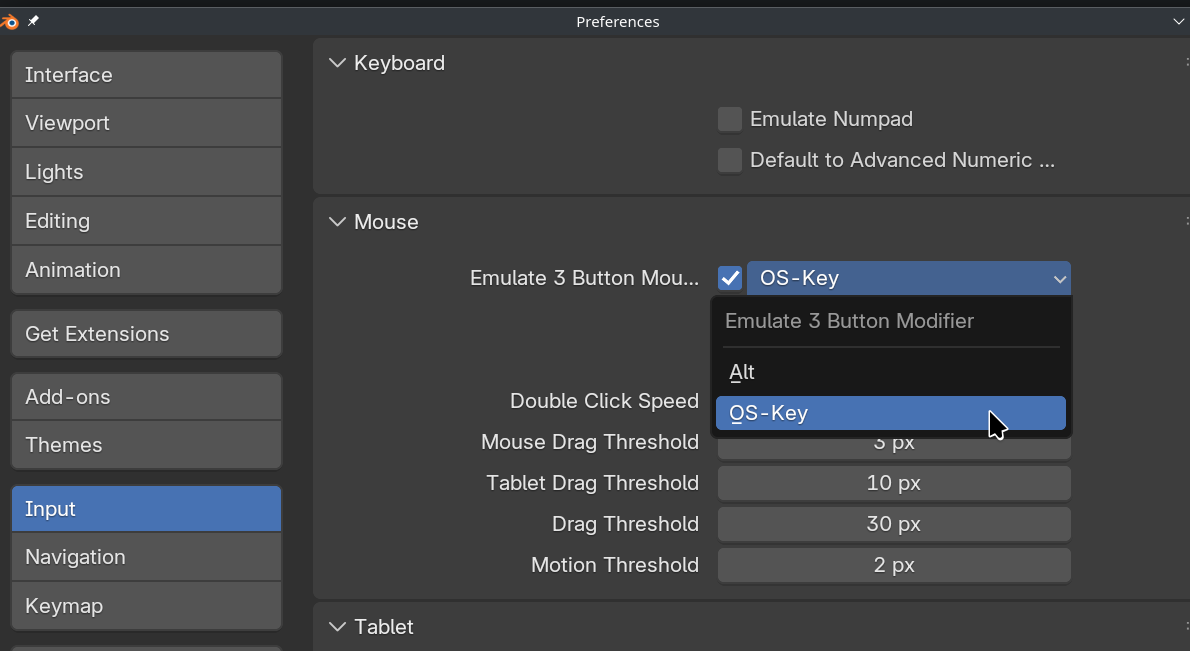
Enabling Emulate 3 Button Mouse will mess up your ALT Key behavior and it would indeed result in what you described.

I'm not sure I follow. Any time you hold down ALT of Shift it's just to change the proportions, to commit you just click on your mouse, doesn't matter if you're holding either ALT or Shift or if you have released them. Maybe you can describe your issue a little further, maybe add screenshots, time stamps or a video screengrab.
Sorry about not adding timestamps! It's at 8:38 in the video, using the alt key to determine the height of the cylinder from the center. I also recorded a screen recording. When I'm adjusting the height using the alt key, I'm mashing the left mouse button to select, but it won't let me select the height unless I let go of the alt key.
Oh you both are definitely right! I forgot I had put on an Emulate three-button mouse as mine has three buttons, but the scroll wheel sometimes gets "stuck" and lags, preventing me from panning smoothly without jitter. I had gotten a new mouse and forgot I had that on and it works perfectly now! Thank you!

Yeah that is one caveat to the Emulate 3-Button mouse - which I'll admit, I have on more often than not. There are some workarounds, but AFAIK no default to replace the lost funtionality. The workaround that is easiest, would be to assign a shortcut to toggle Emulate 3 button mouse on/off, or a shortcut key for lost functions (in this case, committing)