

WHY 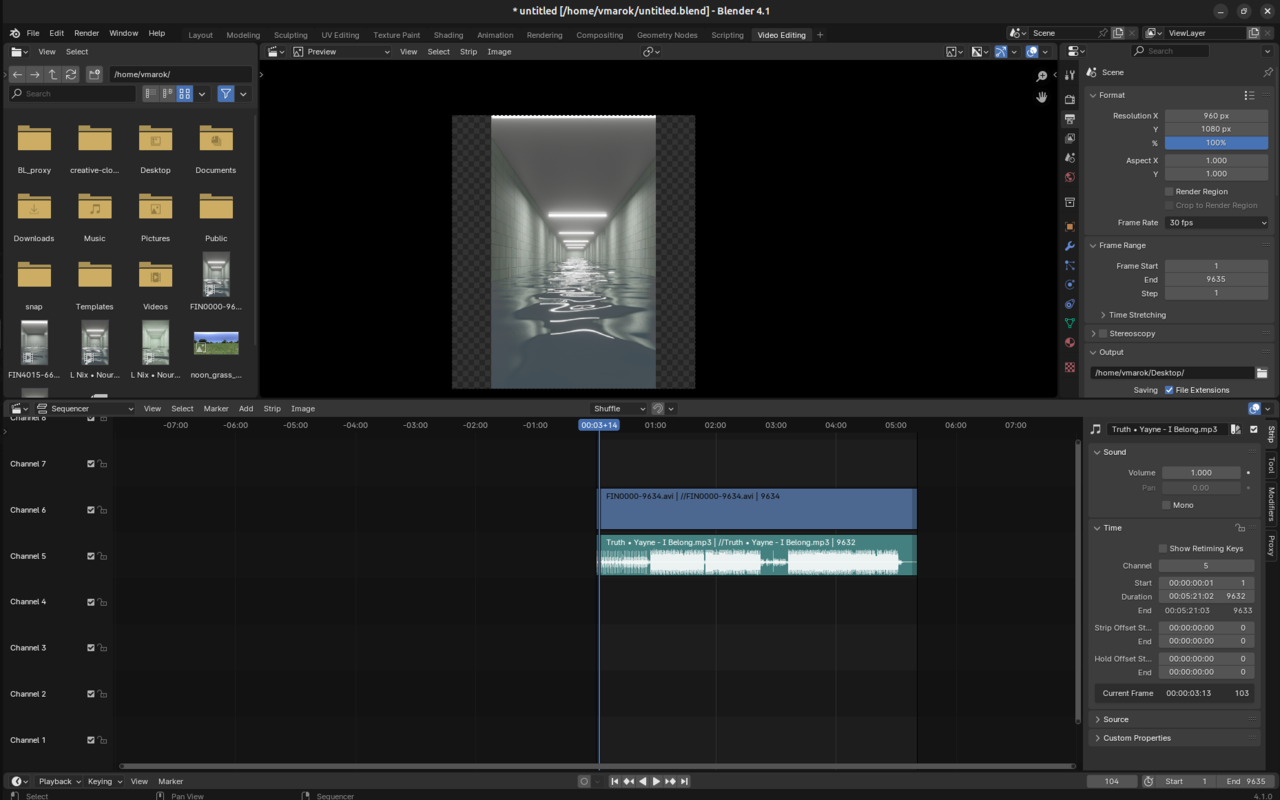 ON EARTH is this transparent PART EVEN SHOWING? I know why but WHY?I CANT EVEN EXPORT IT EVEN IF I CUSTOMIZED THE RESOLUTION ALL THE WAY!!!!
BECAUSE THEN THIS SHOWS THIS IN THE BOTTOM:
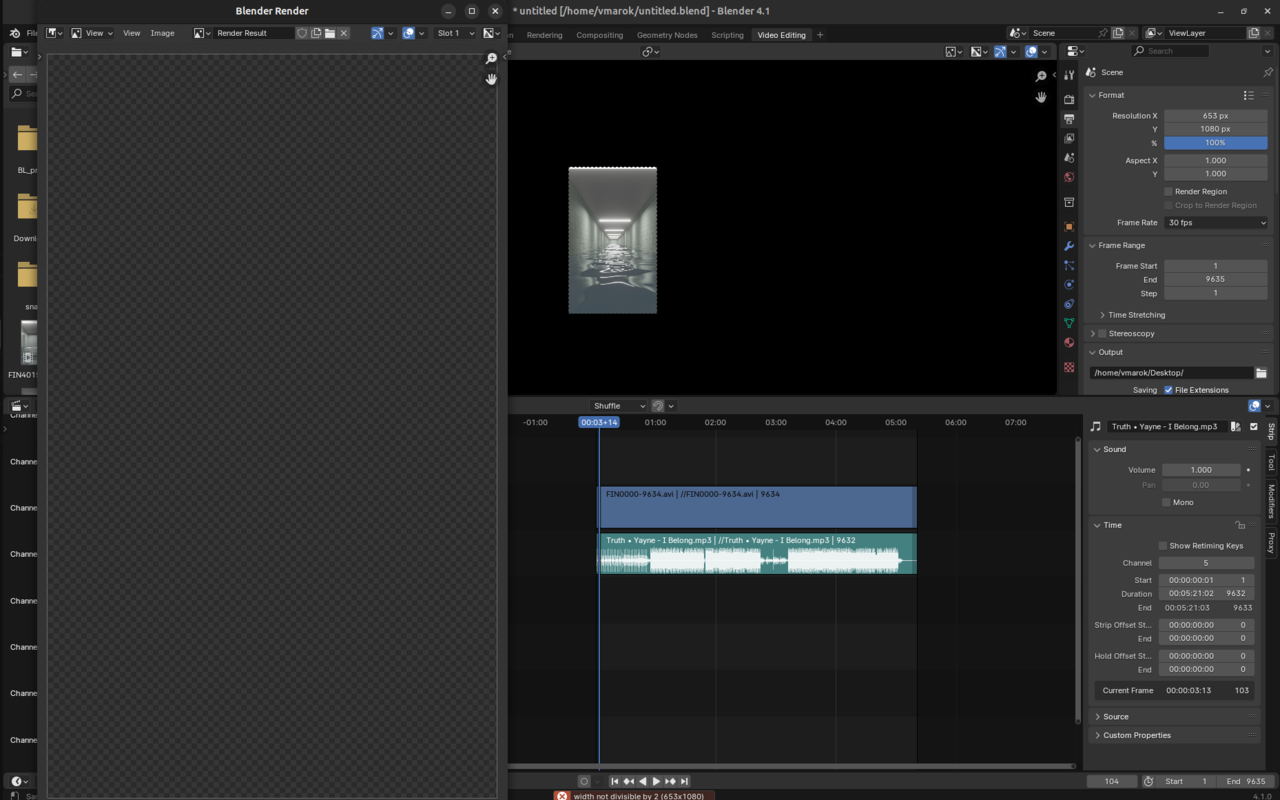
SORRY FOR THE RAGE FIT BUT THIS FEELS LIKE SUCH A SIMPLE TASK AND I HAVE NO ANSWER

Hi Kimberly AnimationStudent ,
That is not a Blender limitation, but has something to do with how video is handled (compression, susbsampling, I don't know exactly), Flash Encoding can handle odd Resolutions and so can MPEG-1 and MPEG-2, as well as Ogg.
You could also simply subtract 1 from the Output X Resolution (making it 652x1080).
