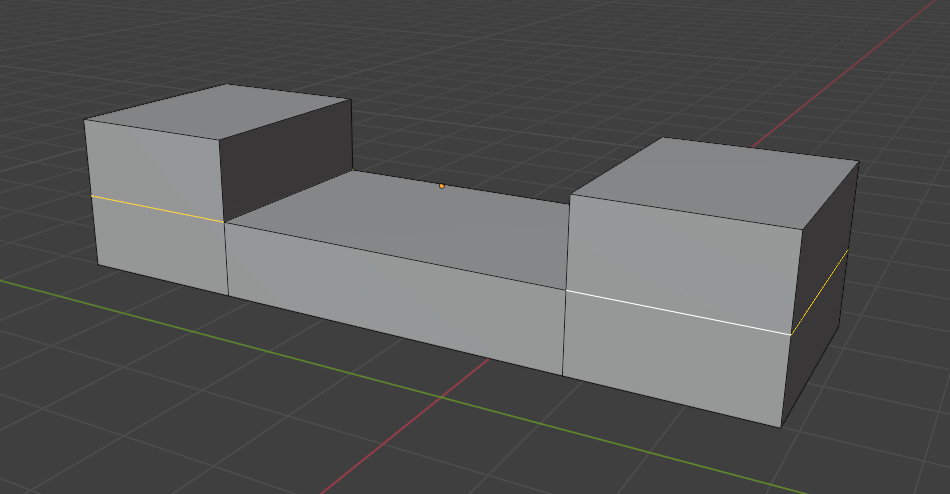
When I extrude inside, edges don't move along with the face, I want to extrude inside the middle portion only and keep both sides as they are, how to do that?
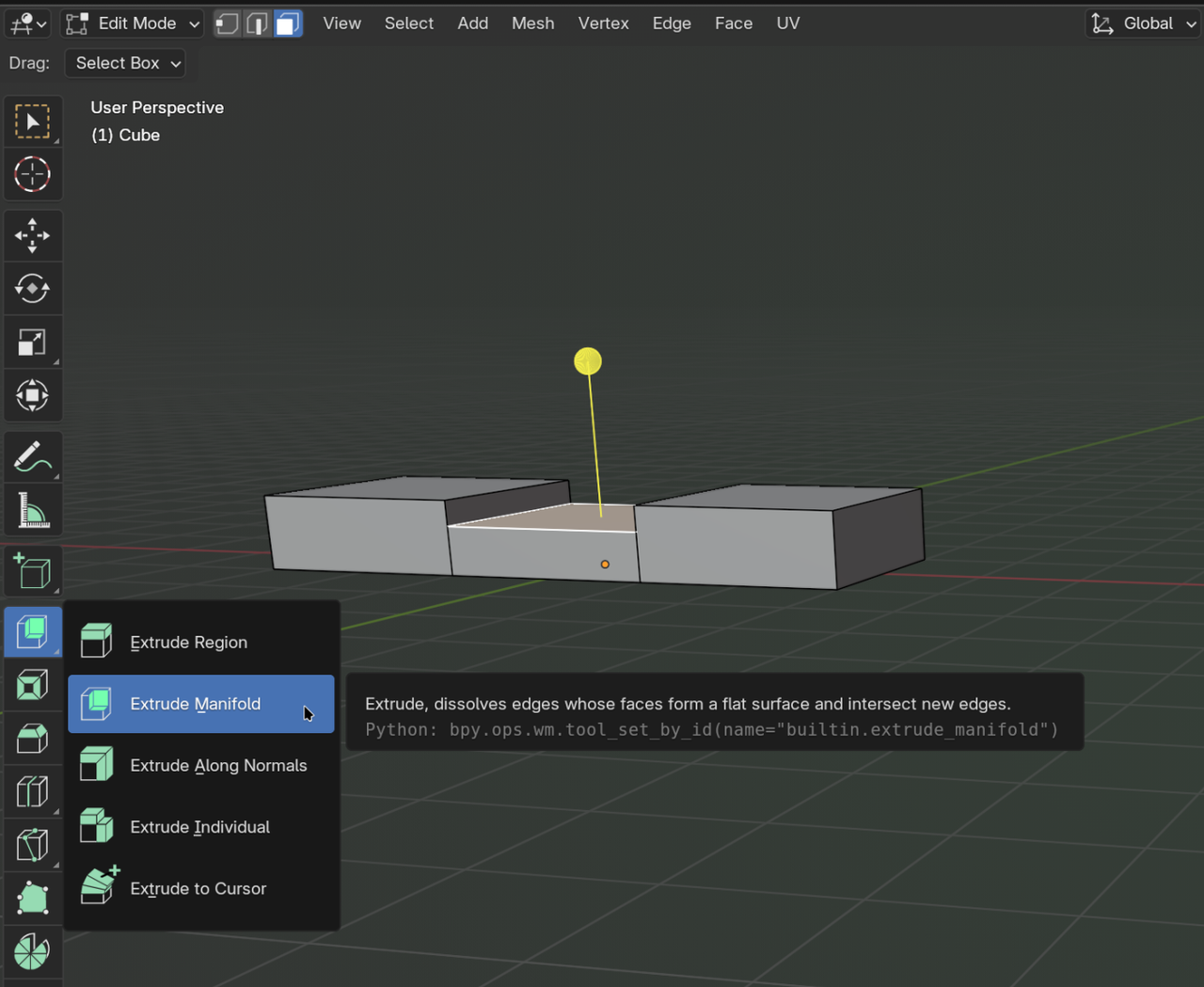
You could use Extrude Manifold for that:
This is also accessible via Mesh > Extrude > Extrude Manifold. Or faster, via the shortcut ALT+E.
If you want proper geometry, you're going to have to create supporting edge loops though.
Thanks Martin, this is exactly what I wanted to know :)