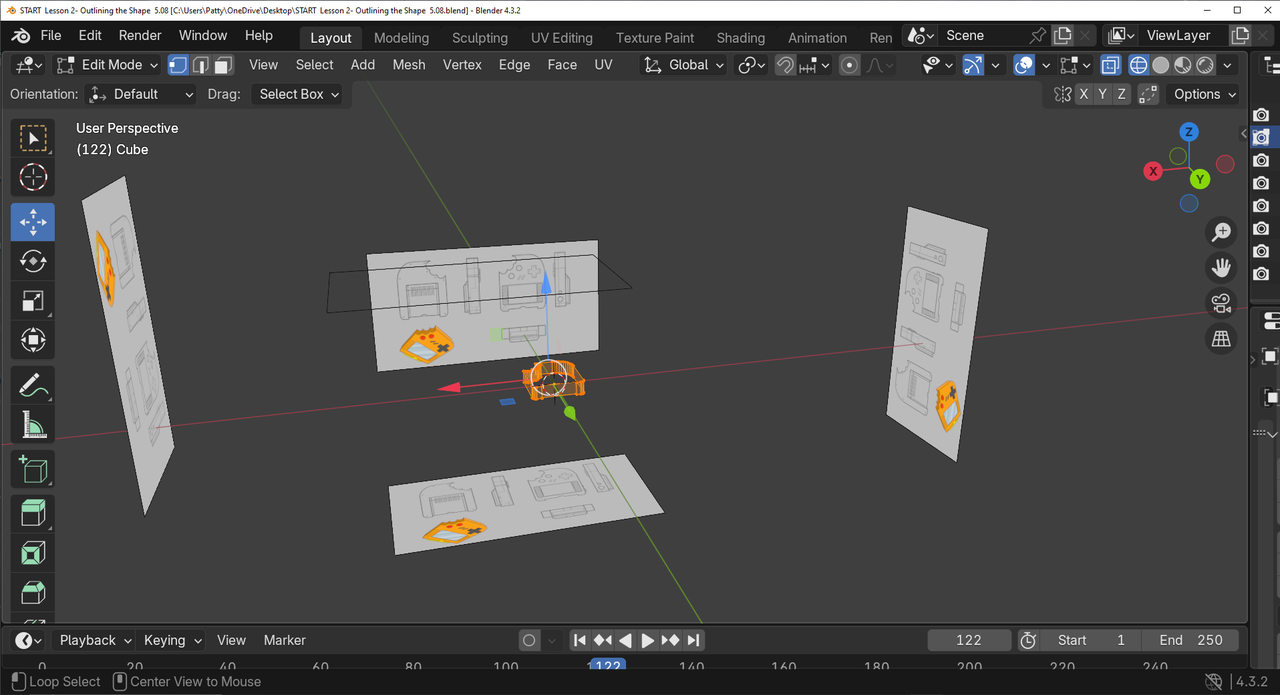
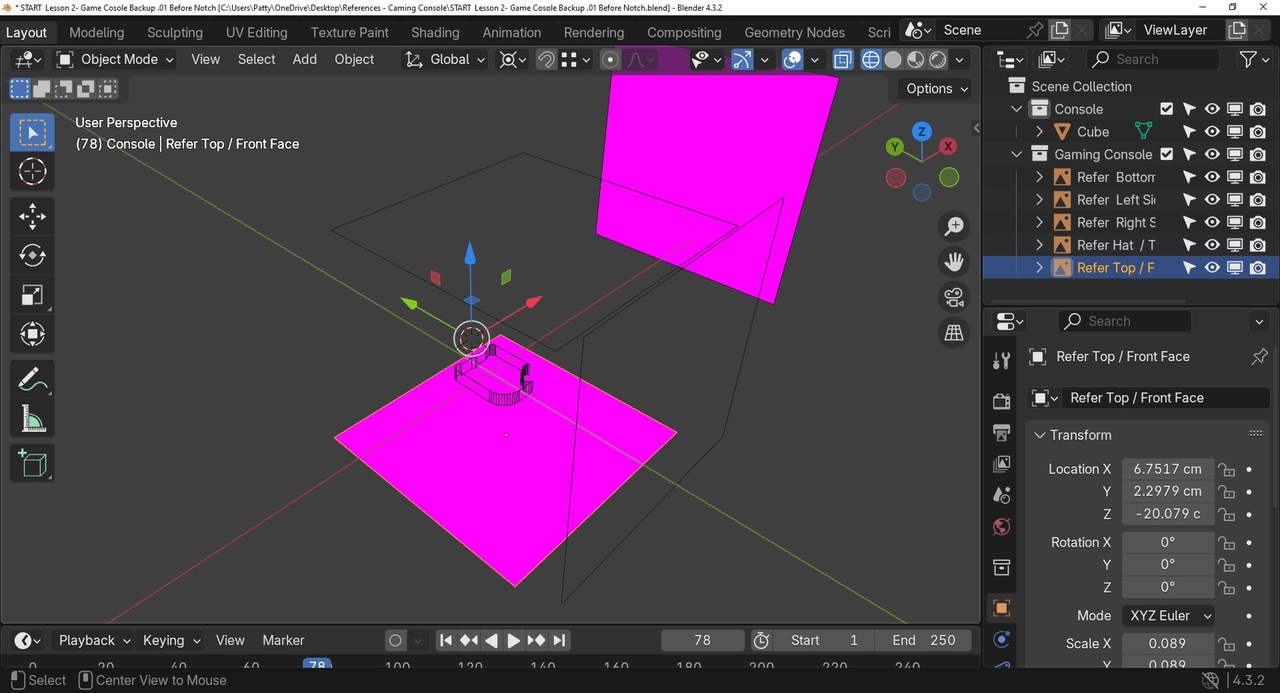
Ok. I need help again. I don't know what I did to result in this. The Gaming Console panels or pictures used as guidelines, are now purple! I did attempt to clean up my Paint pics of my work and deleted what I thought were not needed. So that being said, I might have accidentally deleted or changed something important. Can it be fixed? Please guide me. Thanks
Sorry. I attempted to send you another pic from paint to show this, but for some reason it won't allow this, only URL which I don't know what it means.
Well, I cannot accomplish a fix following AI.... I don't ask the correct questions. I don't know what I touched or clicked accidently to turn the schematic panels purple. I checked all my Blender Files regarding the Gaming Console, the schematic panel guides are purple. Is there a fix, beside starting over......again?

Hi Patty,
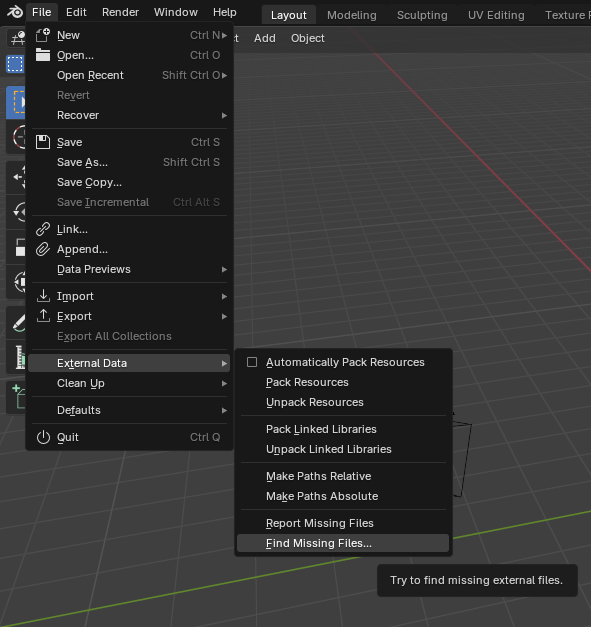
You probably moved or renamed the Images, so now Blender can't find them anymore.
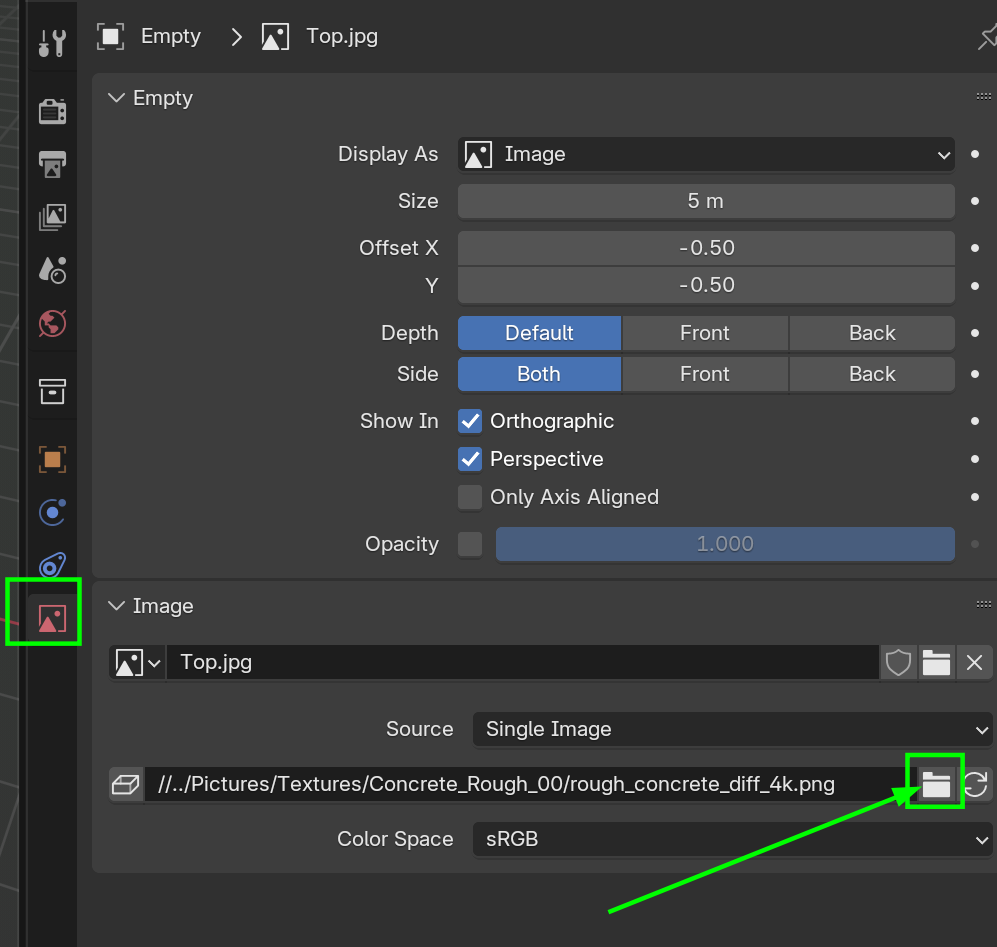
Click on the File here, to open a File Browser, so you can got to the location on your hard drive, where the image is now:
If you Google it, you'll need to search for 'pink texture' or so (the actual color is magenta, but 'everybody' calls it pink.