I can't rotate my image

I duplicated the reference image and set the empty properties to front. Every time I type R, 180, Y, the image does not rotate. I made sure the correct image was selected. What am I doing wrong?

1 love
Reply
  • Martin Bergwerf replied

    Hi @TOPAZASH ,

    Could you give us more information, please?

    What is happening, when you press the R Key?

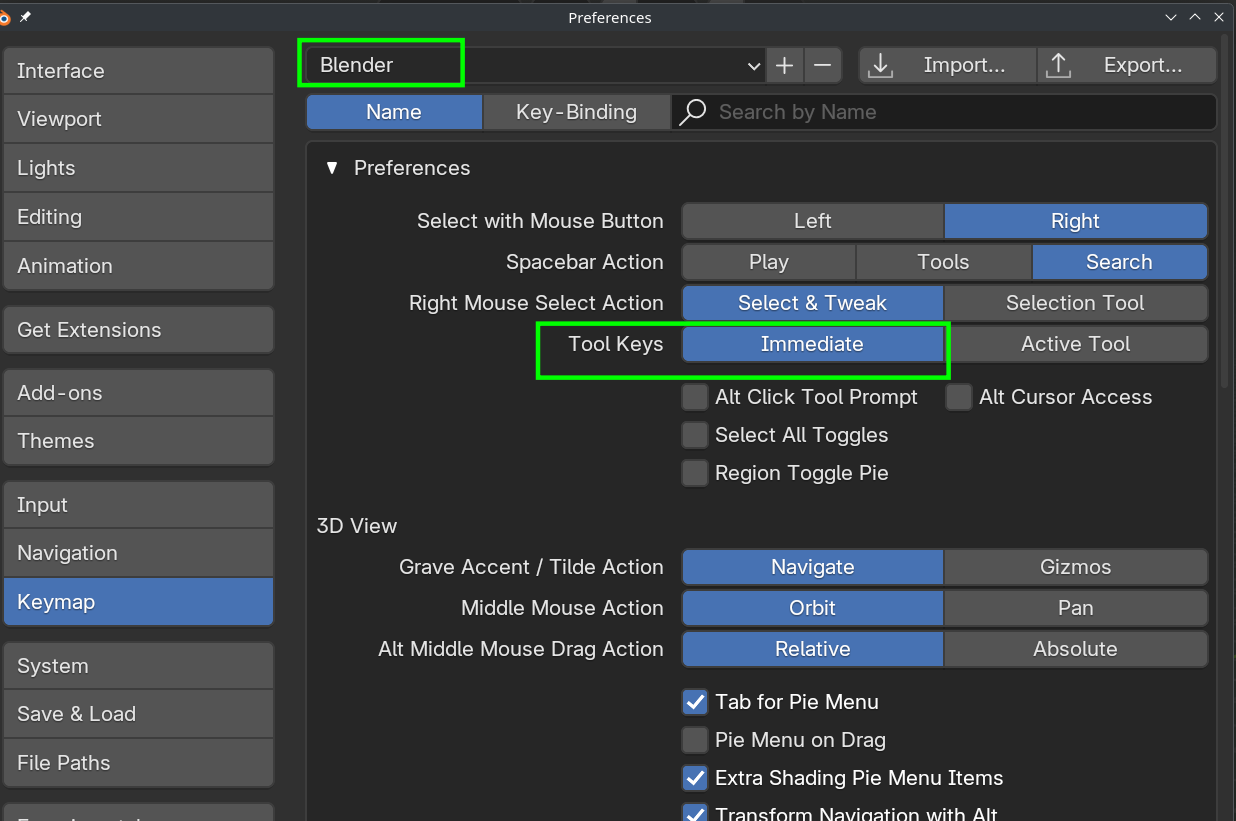
    Make sure you are using the Blender Keymap, and your Tool Keys are set to Immediate:

    Pref.png


    1 love
  • Omar Domenech replied

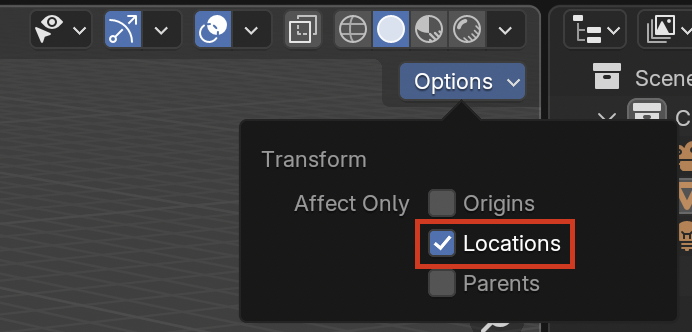
    Typically it's R for rotate, then specify the axis, so Y and then 180. But it works both ways. Perhaps you have affect only locations on?

    Affect Only.png

    1 love
  • Martin Bergwerf replied

    And also make sure that your Mouse Pointer is in the 3D View.

    1 love
  • MARZO replied

    Hey Omar, the problem was I had locations toggled on in that Options dropdown menu. I turned it off and it worked fine. Martin, thank you for you help as well!


    • 👍
    • 🤘