wire doesnt work

hiĀ 


everything is perfect for me except the wireĀ 


for some reason it doesn't show the wires of mesh when I activate itĀ 

1 love
Reply
  • Martin Bergwerf replied

    Hi Samy,

    Do you mean the 'Show Wire' in the Weight Paint Overlays? That doesn't seem to work correctly (or maybe I misunderstand how it's supposed to work). I usually use one of these two options:

    Wire.png

    1 love
  • samy rezk(kadory87) replied

    no I didnt mean those I meant the one he mentioned in the videoĀ 

    1 love
  • Omar Domenech replied

    Which on is that? Can you give us a time stamp? Perhaps attach a screenshot of what you mean.Ā 

    2 loves
  • Dwayne Savage(dillenbata3) replied

    It's in the weight paint context overlays now.Ā 

    025-02-23 155756.png

    ***Edit*** just realized this is the 4.2 version that Wayne is using. He covers these setting inĀ https://cgcookie.com/lessons/07-weight-painting-overviewĀ around 9:20 and points out that he prefers the wire overlay that Martin pointed to.Ā 

    1 love
  • Tian du Plessis(Tian du plessis) replied

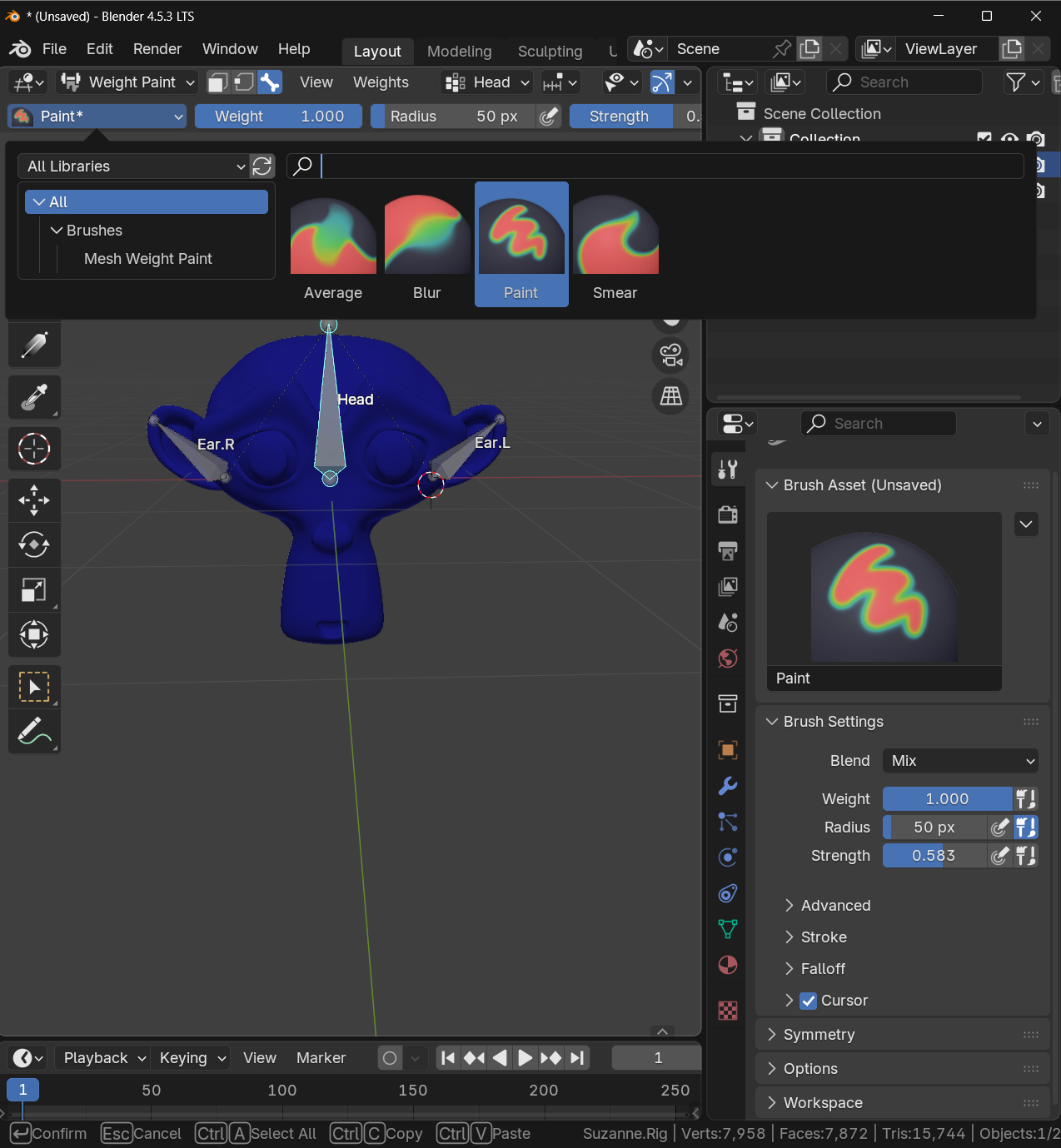
    "I noticed the brush options have changed in Blender 4.5—you can now choose between Paint, Blur, and Smear. I’ve been using Paint, and it works well. But your Add button isn’t there anymore."Speaker 2.png
  • Martin Bergwerf replied

    Hi Tian @Tian du plessis ,

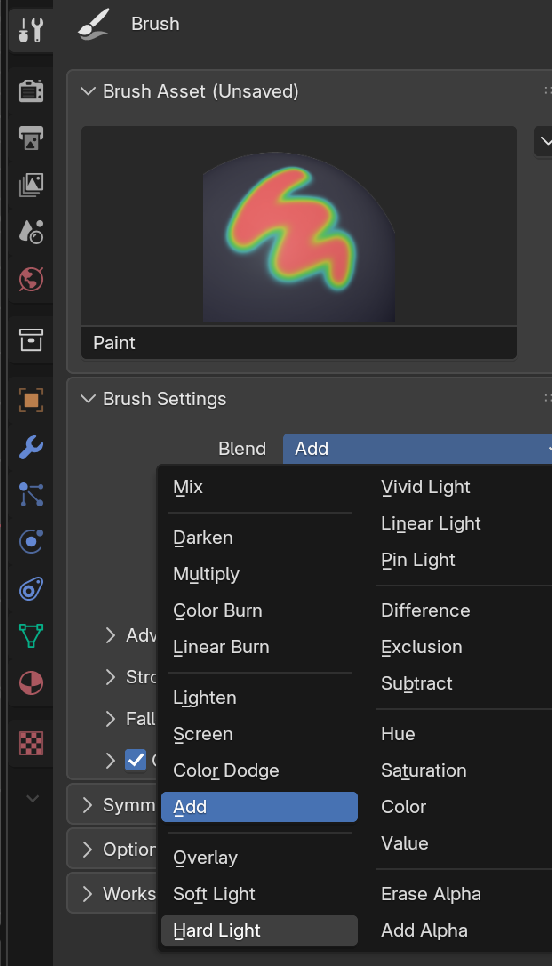
    Do you mean this Add:

    Brush_00.png

    (You might want to consider following our advice and use the same Blender Version as used in a Course šŸ˜‰)

    1 love
  • Tian du Plessis(Tian du plessis) replied

    "Yes, I think that’s the right one—I didn’t notice it before. Haha, switching to the other version might be a good idea, since quite a few things have changed in Blender 4.5 and I’m struggling a bit. But everything up to this point was fine. Thanks for your help! 😊


    • šŸ‘