How to create a video with a transparent background

Question Animation

I have an object with a moving camera and I want to render this animation with a transparent background. But I can't find any RGBA anymore. And if I try with QuickTime (Container) and QuickTime Animation (video codec), I still get a black background. What can I do to resolve that issue? (I don't think that exporting my images in PNG would be the best solution but I may be wrong.)

1 love
Reply
  • Martin Bergwerf replied

    That would probably be easiest done in the Graph Editor, or even just in the Dope Sheet (moving Keyframes further apart at certain times).

    Handy Shortcut: E moves Keyframes at the right side of the 2D Cursor (in those Editors).

    1 love
  • Marie Delagrave(delama) replied

    Dope Sheet? (sigh) ...That's Chinese for me. 😢

    1 love
  • Martin Bergwerf replied

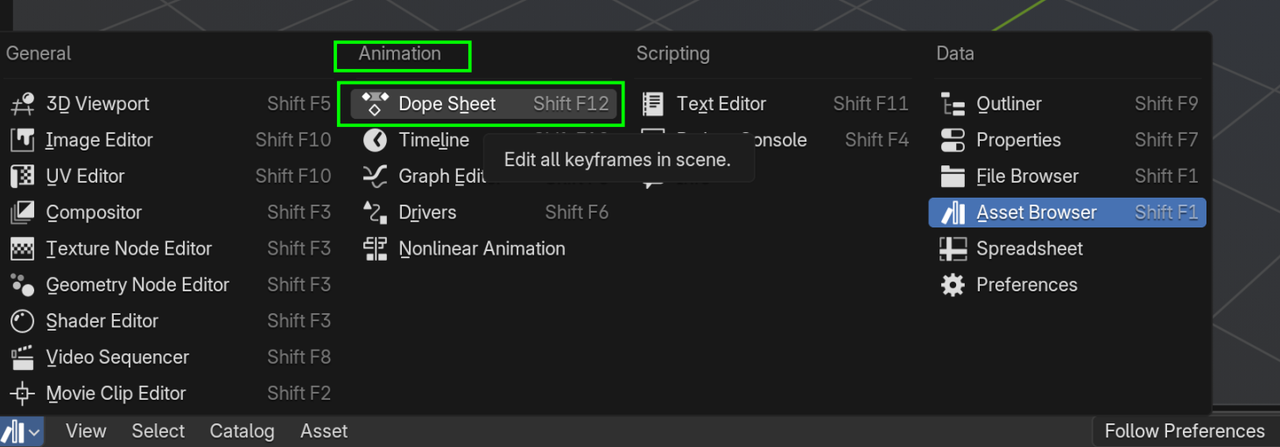
    You can select it here:

    Dope.png

    It shows the Keyframes, but not all the curves/interpolations of the Graph Editor. It's very sinmilar to the Timeline, but has a little bit more information.

    1 love
  • Marie Delagrave(delama) replied

    I'll try that.

    1 love
  • Martin Bergwerf replied

    And just in case I will be away for today, here is sort of how I separated Foreground and Background; I used 2 Scenes, Foreground (Christmas Cat and Lights, for instance) has Transparent checked:
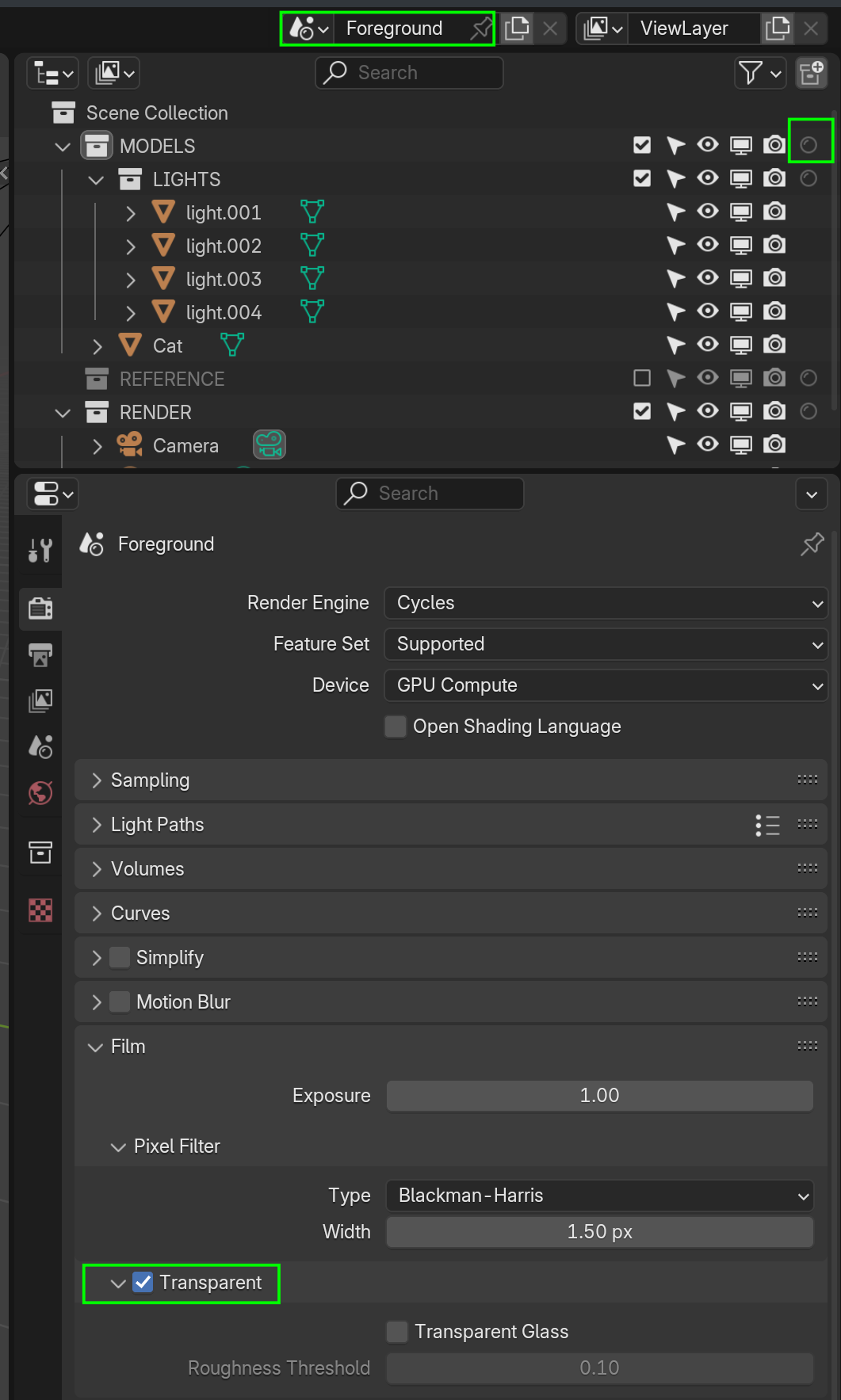
    FG.png

    The other Scene (start with Full Copy, to the right of the Scene name) has Transparent un-checked and all foreground elements (or the Collections that they are in) set to Hold Out (Filter if that doesn't show up in the Outliner):
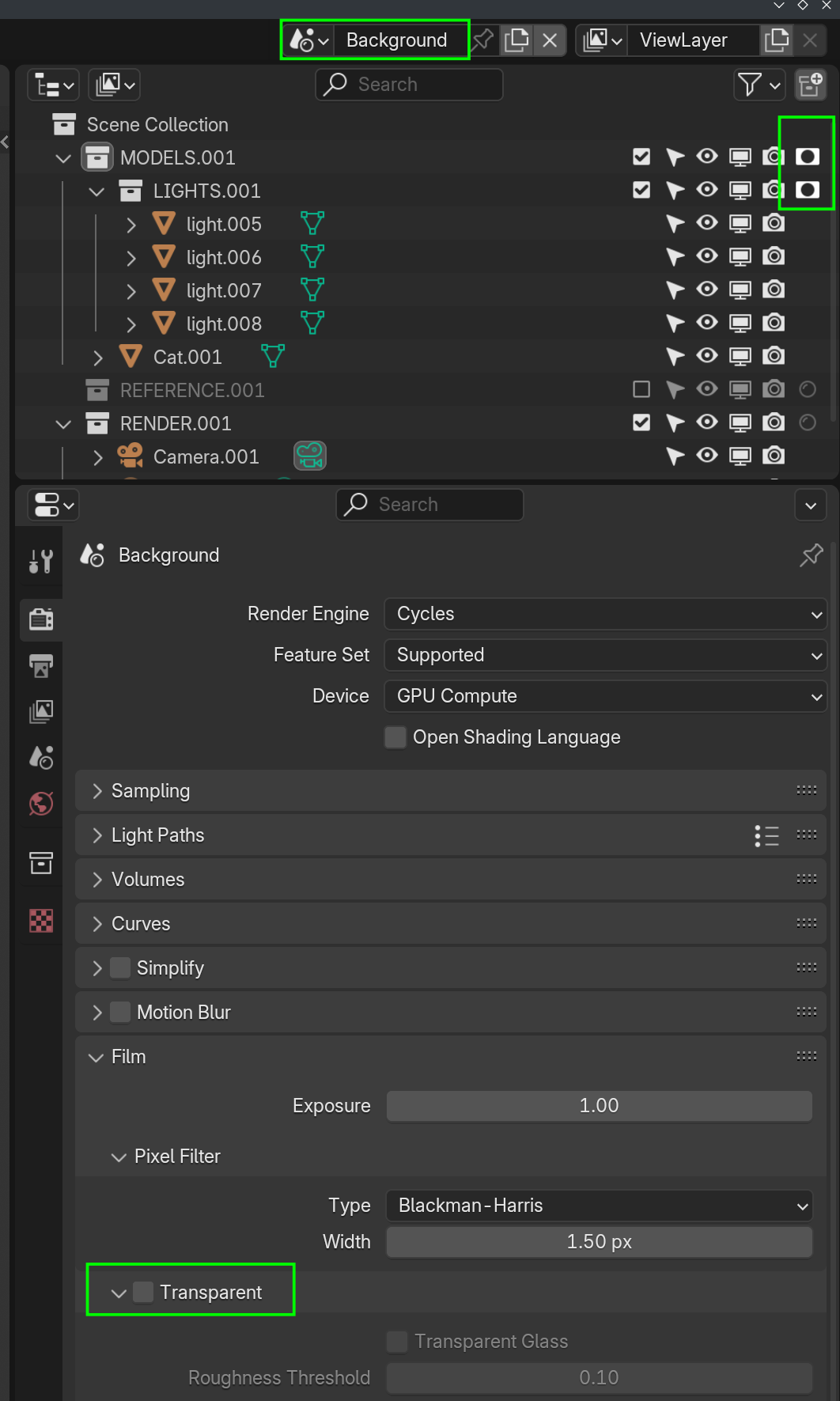

    BG.png

    I hope that is sort of clear 😉

    1 love
  • Marie Delagrave(delama) replied

    I will study that with attention. THANK YOU!

    1 love